Assigning credit to a team or organisation
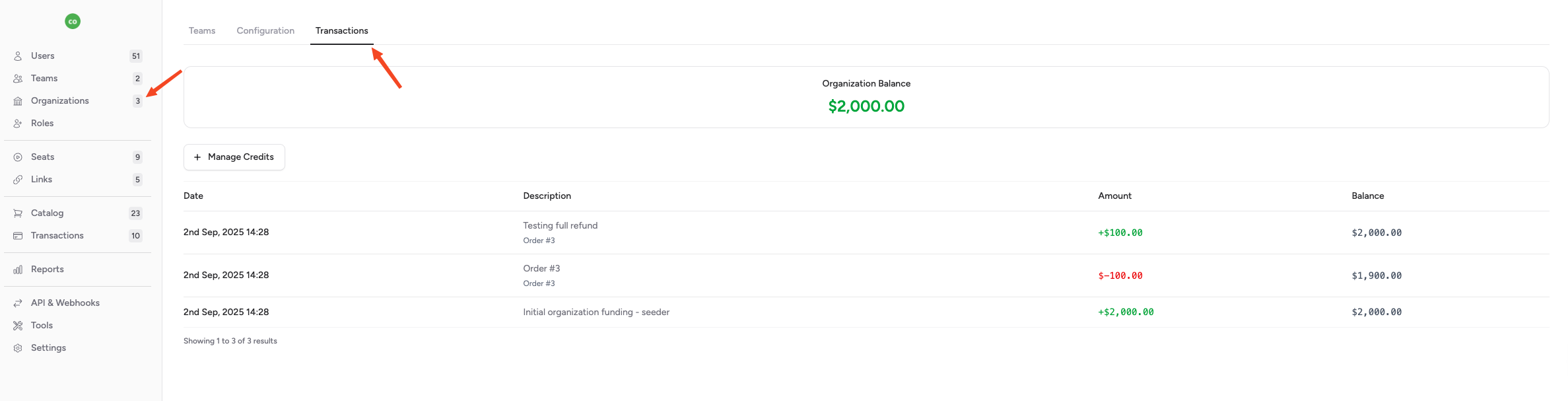
Click Teams, then select a team. In the view, click Transactions.
1. Click "Manage Credits"

2. Enter an amount e.g. $1000.

3. Enter a "Description" e.g. "Initial Funding'

4. Click "Add Credits"

The team now has credits available to spend. Note that you can view a tea's transactions from this view.
For organisations, follow the same process by selecting Organisations, then viewing an organisation and clicking the transactions tab: